

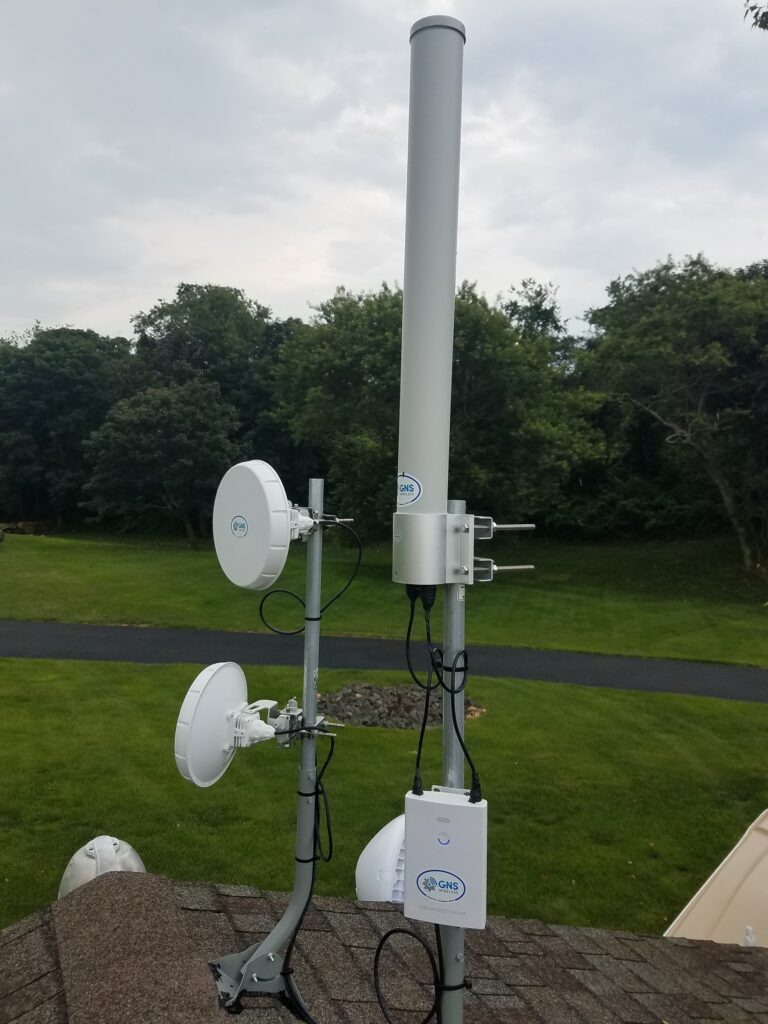
If you’re trying to extend Wi-Fi beyond a single building, you’ve probably come across two common solutions: mesh Wi-Fi systems and point-to-point wireless bridges.
While both technologies help expand network coverage, they are designed for very different purposes. Understanding the differences can save you money, improve performance, and eliminate frustrating Wi-Fi problems down the road.
What Is a Mesh Network?
A mesh network consists of multiple Wi-Fi devices that communicate wirelessly with each other to extend coverage throughout a home or small property.
Most residential mesh systems use the 5 GHz band to communicate between mesh nodes while simultaneously providing Wi-Fi access to connected devices. Some systems also utilize the 2.4 GHz band for longer-range client connections.
Popular mesh systems include products designed for homes where running Ethernet cables is difficult and coverage is needed across multiple rooms.
Advantages of Mesh Wi-Fi
- Easy installation
- Good coverage for homes
- Minimal wiring requirements
- Simple mobile app management
- Cost-effective for small deployments
Limitations of Mesh Wi-Fi
Mesh systems work well in homes, but they begin to show limitations as distances increase.
Each wireless hop consumes airtime and network resources. As traffic passes through multiple mesh nodes, available bandwidth decreases and latency increases.
Additional challenges include:
- Increased channel utilization
- Higher CPU load on mesh nodes
- More wireless interference
- Reduced throughput with each hop
- Less predictable performance under heavy usage
In many cases, a mesh node must spend time both receiving and retransmitting traffic, which reduces overall efficiency compared to a dedicated backhaul connection.
For this reason, mesh networks are often best suited for:
- Residential homes
- Small offices
- Extending Wi-Fi into a backyard or patio
- Short-distance coverage expansion
What Is a Wireless Bridge?
A wireless bridge creates a dedicated connection between two locations.
Think of a wireless bridge as an invisible Ethernet cable.
Instead of extending Wi-Fi through multiple hops, a wireless bridge creates a direct link between Point A and Point B. Once the bridge is established, devices on both sides communicate as if a physical Ethernet cable were installed between the buildings.
This approach is commonly used to connect:
- Homes and detached garages
- Houses and workshops
- Office buildings
- Campgrounds
- RV parks
- Marinas
- Warehouses
- Farms and agricultural properties
Wireless Bridge Frequencies Explained
Different wireless bridge technologies operate on different frequencies depending on distance and performance requirements.
60 GHz Wireless Bridges
60 GHz bridges provide extremely high throughput, often exceeding 1 Gbps and sometimes approaching multi-gigabit performance.
Best for:
- Building-to-building links
- High-speed internet sharing
- Video surveillance networks
- Distances up to several thousand feet with clear line of sight
Advantages:
- Very high speed
- Low latency
- Minimal interference
- Excellent for streaming, VoIP, and business applications
5 GHz Wireless Bridges
5 GHz bridges offer an excellent balance of range and performance.
Best for:
- Longer-distance links
- Rural properties
- Farms
- Campgrounds
- Industrial facilities
Advantages:
- Greater range than 60 GHz
- Good throughput
- Proven reliability
2.4 GHz Wireless Links
2.4 GHz wlan bridges offers greater obstacle penetration but lower capacity.
Best for:
- Light-duty applications
- Basic connectivity
- Areas with minor obstructions
Advantages:
- Longer propagation
- Better penetration through foliage and light obstacles
Disadvantages:
- Lower speeds
- More interference from consumer devices
Why Wireless Bridges Scale Better
One of the biggest advantages of a wireless bridge architecture is that network expansion does not require repeated wireless hops.
For example:
Office Building
↓
Wireless Bridge
↓
Remote Building
↓
Outdoor Access Point
The bridge handles transportation between locations, while the access point provides local Wi-Fi coverage.
This separation of duties creates a much more efficient network.
Instead of asking a mesh node to serve clients while simultaneously relaying traffic to other nodes, each device performs a specific task.
The result is:
- Better performance
- Lower latency
- Greater stability
- Higher overall capacity
As additional remote buildings are added, each location receives its own dedicated bridge connection and local access point.
This design allows large properties to expand coverage without the cascading performance reductions often associated with multi-hop mesh networks.
Real-World Example
Imagine a campground office with internet service.
A mesh solution might attempt to hop Wi-Fi from pole to pole throughout the property.
As more hops are added, bandwidth decreases and congestion increases.
A wireless bridge design works differently.
The office connects to remote areas using dedicated wireless bridges. At each remote location, an outdoor access point provides Wi-Fi to guests.
This creates a professional-grade network that can cover hundreds or even thousands of feet while maintaining strong performance.
Which Solution Should You Choose?
Choose Mesh Wi-Fi if:
- You need better coverage inside a home
- Distances are relatively short
- Simplicity is the primary goal
- Performance demands are moderate
Choose a Wireless Bridge if:
- You need to connect separate buildings
- Distances exceed normal Wi-Fi coverage
- Reliability is important
- You want maximum performance
- You are designing a campground, marina, farm, warehouse, or outdoor network
Final Thoughts
Mesh networking has its place and can work very well inside residential environments. However, when the goal is connecting multiple buildings, extending internet across large properties, or building a professional outdoor network, a wireless bridge is usually the better long-term solution.
A properly designed point-to-point wireless bridge creates an invisible Ethernet connection between locations, allowing you to place access points exactly where coverage is needed without sacrificing network performance.
If you’re planning a building-to-building connection, campground Wi-Fi deployment, marina network, or large outdoor coverage project, explore professional wireless bridge solutions available from GNS Wireless.
Learn more about building-to-building wireless bridges, outdoor access points, and complete outdoor Wi-Fi systems at GNSWireless.com.