Superior Outdoor Wi-Fi Complete Outdoor Wi-Fi Solutions

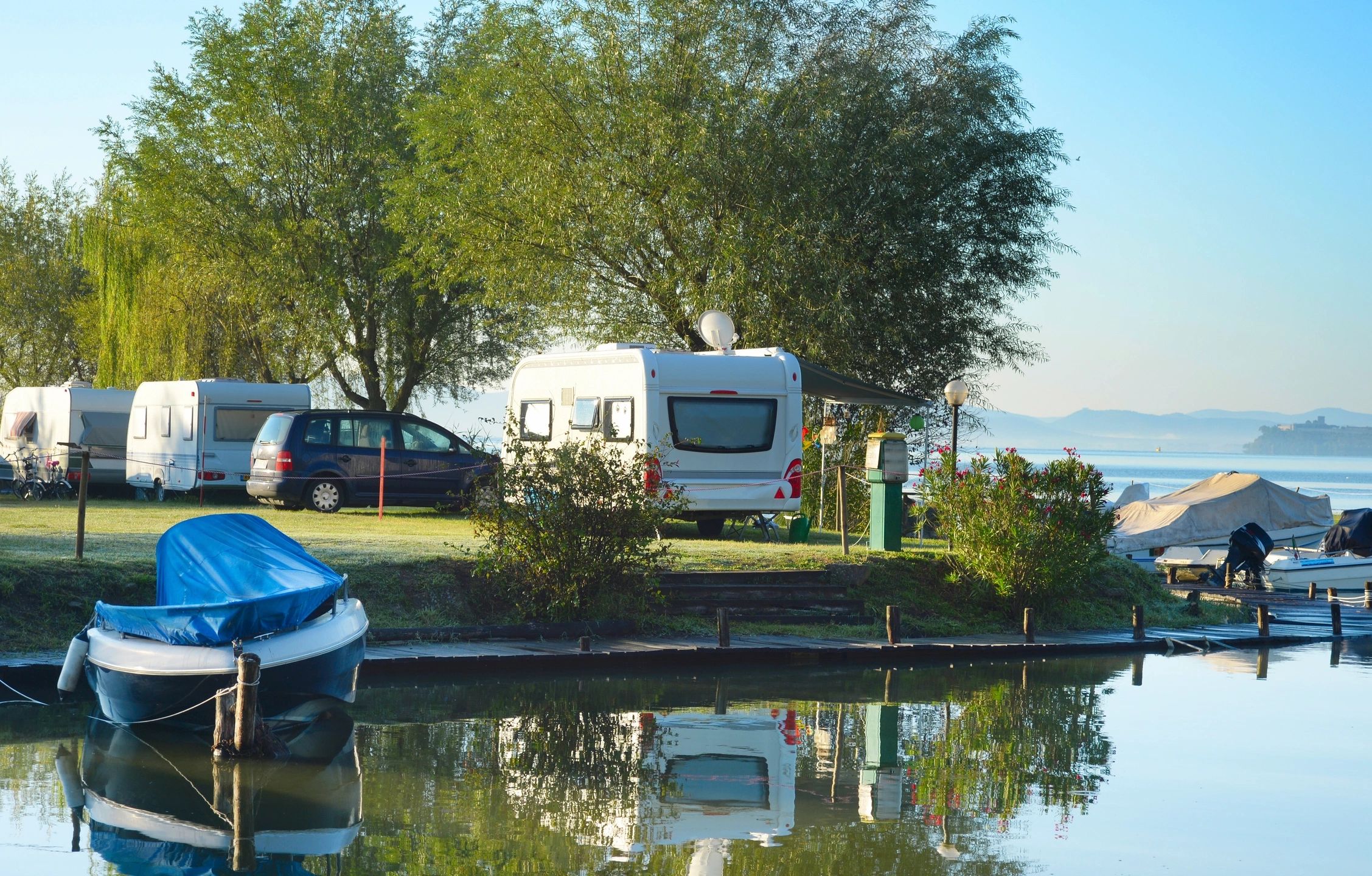
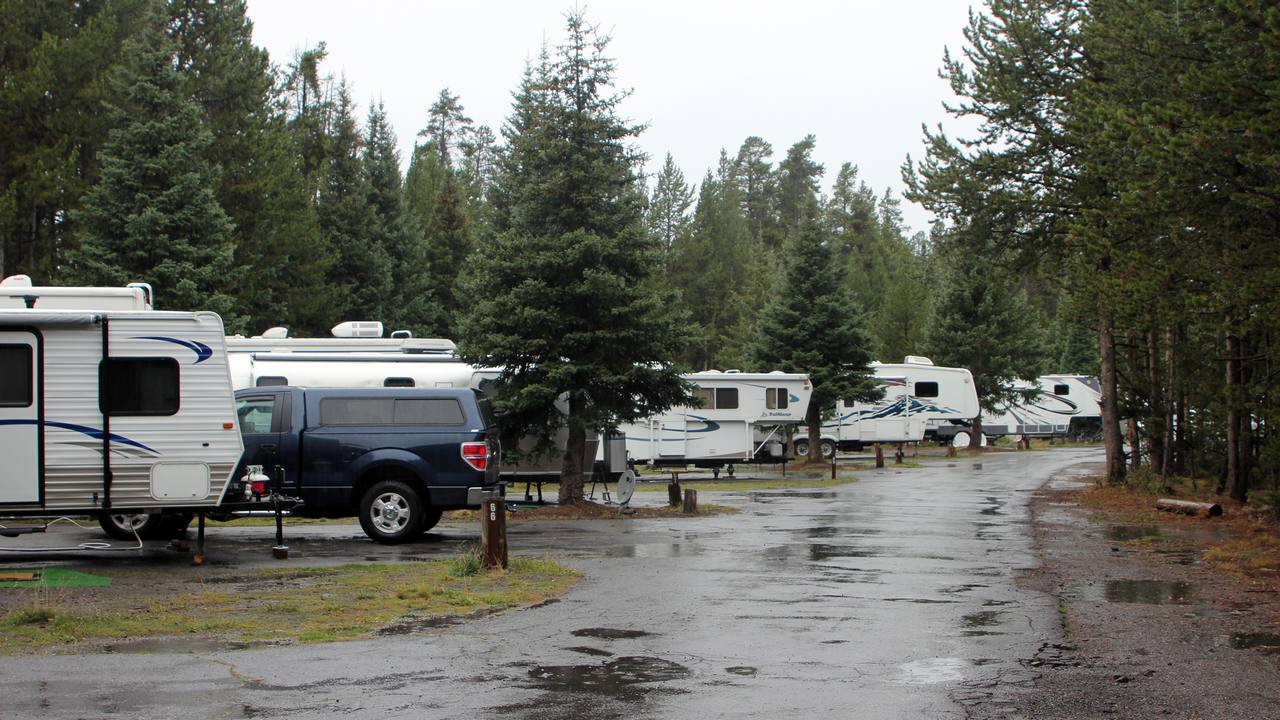
Recreational vehicles parked across a maintained RV park.

RV park Wi-Fi coverage planning

Plan Better Wi-Fi Inside RVs and Across Your Park

RV park Wi-Fi coverage planning starts with a different problem than a wooded campground loop. Guests are sitting inside metal-sided rigs, often in long, densely occupied rows, and they expect to stream, work, and stay connected at the site—not only at the office.

A phone on a picnic table and a streaming stick inside an RV are not the same radio path. Outdoor access points, placement around the RV roofline, Wi-Fi 6 or Wi-Fi 7, backhaul to distant rows, and bandwidth management for guest devices have to be planned together.

GNS designs the complete network—from the main internet connection and distribution equipment to outdoor access points, wireless backhaul, cloud configuration, bandwidth policies, and ongoing support.

The internet service itself may come from fiber, cable, Starlink, or another provider. GNS does not supply that connection. GNS designs the property network that distributes that available connection.

GNS provides preconfiguration, wiring diagrams, cloud setup, and installation guidance, making it easier for your electrician or installer to complete the physical installation. Start with equipment selection for this park when you are ready for a system review.

An RV Park Network Has to Work as One System

Reliable RV park Wi-Fi begins with the internet service already available at the property. From there, routing and switching distribute that connection, outdoor access points serve the occupied rows, and backhaul carries traffic between distant areas and the main network.

Access points should be placed around the areas where guests actually connect—not only on the office roof. Long rows, metal RVs, trees, changes in elevation, and full seasonal occupancy can require several coverage zones. Each remote location also needs an appropriate mounting point, power, and a dependable connection back to the main network.

That connection may use Ethernet, fiber, point-to-point or point-to-multipoint wireless backhaul, mesh, or a combination. The right choice depends on distance, available power, line of sight, expected traffic, and how difficult it would be to install cable between locations.

GNS designs these parts together, preconfigures supported equipment, prepares wiring diagrams, sets up cloud management and bandwidth policies, and provides installation guidance and ongoing technical support. The property’s electrician or installer can then mount and power equipment that has already been prepared for the park.

Wi-Fi inside RVs

Why Wi-Fi Inside an RV Is More Challenging

Metal siding, foil-backed insulation, appliances, and other materials in an RV can weaken an outdoor Wi-Fi signal before it reaches the phone, laptop, or streaming device inside. The same park that looks well covered on an empty pad can look very different when every site is occupied.

  • Commercial outdoor access points are designed for outdoor installation and multi-user networks. Depending on the model, they may provide purpose-designed antennas, stronger receiver performance, greater client capacity, weather protection, cloud management, and flexible mounting options. Properly selected and positioned equipment can improve the usable connection into many RVs compared with relying on an office router alone.
  • Access points may be positioned around or slightly above the typical RV roofline when the terrain and mounting locations support it. That is a planning choice for this property—not a universal height rule, and not a reason to mount as high as possible.
  • Long rows, hills, trees, and closely parked metal RVs often need more than one coverage zone. One radio cannot be assumed to serve every occupied pad.
  • 2.4 GHz generally handles obstacles better than 5 GHz. 5 GHz can provide more capacity where the signal into the rig is already favorable. Both bands belong in the plan.

The connection is bidirectional. A capable access point cannot make up indefinitely for a phone, streaming stick, or laptop that cannot transmit back through the RV wall, and raising transmit power is not the solution.

Because RV construction and site layouts vary, some rows may require closer access-point placement or additional coverage zones to provide a reliable indoor connection. Reliable streaming still depends on signal quality, available airtime, backhaul, bandwidth management, and the park’s internet capacity. Signal strength alone is not enough.

Wi-Fi 6 vs Wi-Fi 7 outdoor access points

Wi-Fi 6 or Wi-Fi 7 for an RV Park?

Newer is not automatically better for every park. GNS selects between Wi-Fi 6 and Wi-Fi 7 from the property, not from a product generation alone.

Wi-Fi 6

Mature, widely supported

  • A widely deployed generation that most current guest phones, laptops, and streaming devices already support.
  • Designed to manage busy environments more efficiently than older Wi-Fi, including by sharing a channel among several devices at once (OFDMA).
  • Often the stronger value when guest-device compatibility and project cost are the priorities.

Commercial-grade Wi-Fi 6 outdoor access point

Wi-Fi 7

Newer efficiency and headroom

  • A newer generation with additional efficiency and capacity features. On the linked outdoor model, verified Wi-Fi 7 features include Multi-RU, preamble puncturing, and 4096-QAM. The benefit of advanced modulation depends on compatible client devices and favorable signal conditions.
  • Can add future headroom as more Wi-Fi 7 guest devices arrive, and may help on demanding or longer-life deployments.
  • Wi-Fi 7 does not go through RV walls better than Wi-Fi 6 simply because it is newer. Real benefits still depend on compatible clients and radio conditions.

Commercial-grade Wi-Fi 7 outdoor access point

The commercial Wi-Fi 7 outdoor access point linked above is a dual-band radio: 2.4 GHz and 5 GHz. It is not a 6 GHz access point, and it is not a 320 MHz access point. Those wider channels, when they are available at all, belong to the 6 GHz band on tri-band equipment and on compatible client devices.

GNS chooses Wi-Fi 6 or Wi-Fi 7 from the property layout, the number and type of guest devices, occupancy, streaming demand, mounting and power, backhaul capacity, expected service life, and budget.

Elevated view of an RV park with spaced pads and loop roads.

Long and densely occupied site rows

Planning access points along long site rows

Evenly spacing radios down a row is not a design. A flat park, a hillside park, and a property with separated loops each need a different layout. Trees, service buildings, and the height of occupied RVs change where a useful signal can actually land.

Selected access points may sit around the RV roofline when that path is clear and the mount is practical. A low mount can disappear behind the first row of metal. An unnecessarily high mount can waste coverage and make service harder. Final placement follows the map, the terrain, and the available poles or buildings.

Full-occupancy RV park Wi-Fi

Full occupancy, streaming, and connected devices

RV park guests commonly expect connectivity for streaming movies and television, remote work and video meetings, phones, tablets, laptops, and streaming devices, mobile applications, and smart or connected devices. That is ordinary guest use, not a special event.

Full-capacity weekends and seasonal residents multiply those devices on the same rows, the same airtime, and the same incoming internet connection. Occupied sites often hold several devices at once. Extra radios cannot create internet capacity the park does not have.

Actual streaming performance depends on the property’s available internet service, simultaneous occupancy, access-point placement, signal conditions, backhaul capacity, channel utilization, bandwidth policies, and the guest device.

RV park bandwidth management keeps a few heavy users from consuming what the rest of the park has to share. Coverage still has to reach inside the rig; capacity still has to hold when every pad is taken.

Mounting and electrical

Placement, power, weather protection, and NEMA enclosures

Terrain and roofline

On many RV park properties, GNS may position selected access points just above the typical RV roofline—often approximately 12 to 15 feet above grade. This is a planning range, not a universal mounting requirement. Hills, changes in elevation, trees, pole locations, row orientation, service access, and the selected antenna pattern can require a different height.

Power and Equipment at Remote Locations

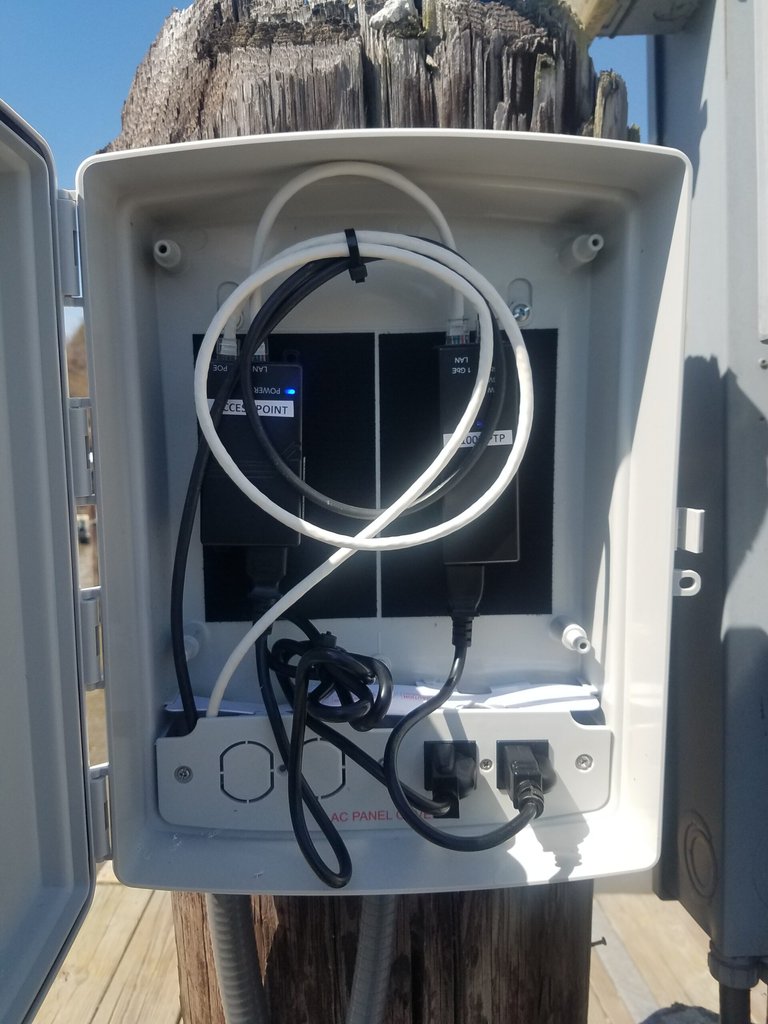
A remote access point needs more than a mounting pole. The design must identify how the equipment will be powered, where the PoE injector and power supply will be located, how cable connections will be protected, and how a technician can reach those components later.

Open weatherproof enclosure with PoE injectors and power connections mounted on an outdoor wooden piling
An accessible weather-resistant enclosure keeps PoE and power components protected and available for service.

Where appropriate, GNS may recommend a weather-resistant enclosure mounted at an accessible height. The enclosure can keep PoE injectors, power supplies, and cable connections protected while allowing them to be inspected or replaced without removing the access point from the top of the pole.

The exact enclosure, mounting method, power source, grounding, surge protection, and cable entry depend on the equipment and installation. Electrical work must follow applicable codes and the manufacturer’s requirements.

Electrical code

Installation must follow the equipment requirements and applicable electrical codes. GNS provides installation guidance; the electrician or installer at the property completes the physical work.

Distant rows and remote areas

Backhaul for Distant RV Rows

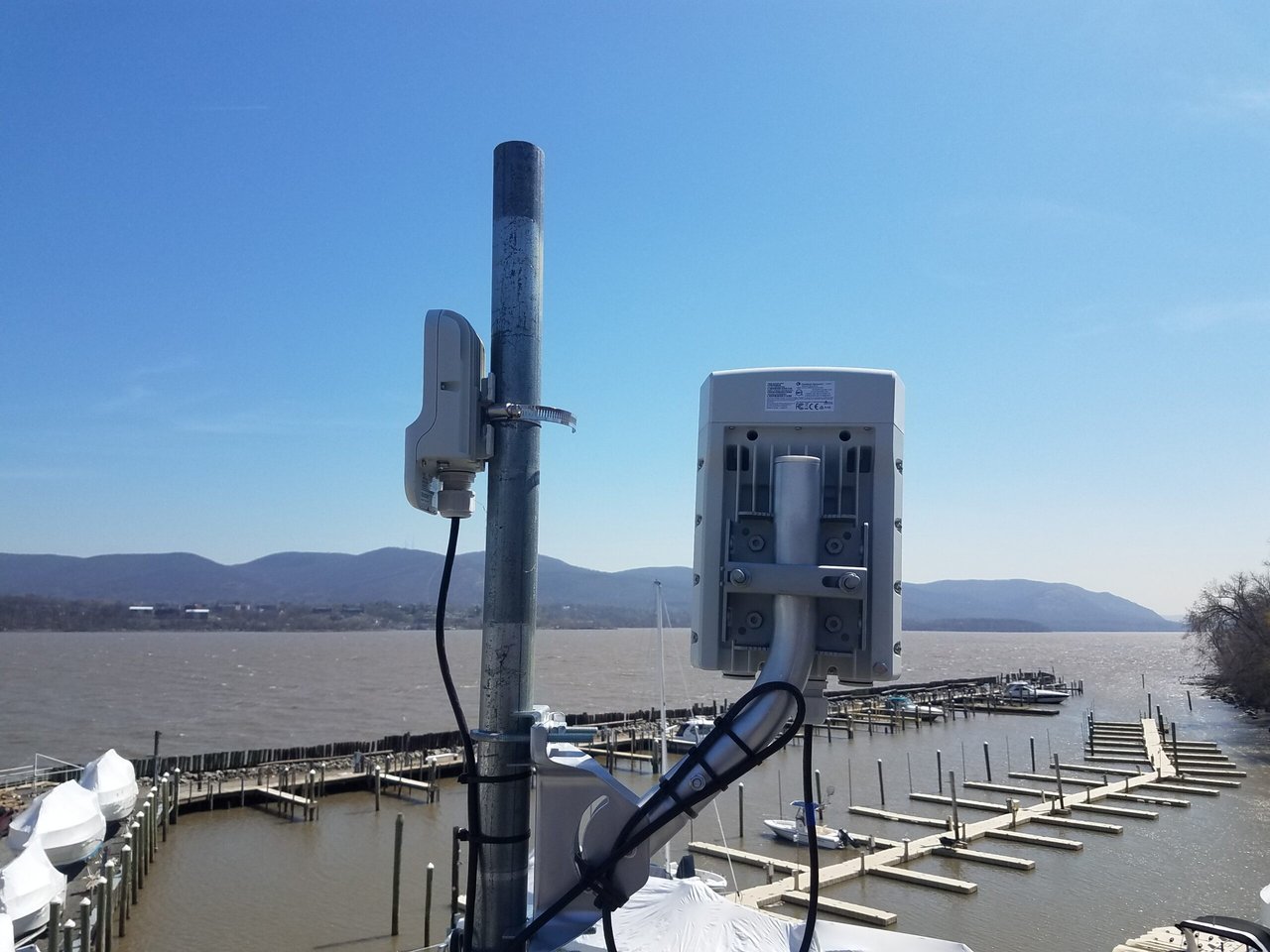
An outdoor access point provides Wi-Fi to guest devices, but it still needs a dependable connection back to the park’s main network. That connection is the backhaul.

Outdoor wireless radios on a metal pole, with a smaller access point and a larger directional radio above a marina

For a nearby row, Ethernet, fiber, or a mesh connection may be practical. A dedicated point-to-point link can connect one distant location, while point-to-multipoint backhaul can distribute the network from a central location to several remote rows or buildings.

The best approach depends on distance, line of sight, terrain, available mounting locations, power, interference, and the traffic expected in each area. Long or heavily occupied rows may justify dedicated backhaul so guest traffic is not carried through several wireless repeater hops.

Many RV parks use a combination: dedicated wireless backhaul for the busiest or most distant areas and mesh where it provides a practical extension. GNS selects and configures the approach around the park layout.

Guest access across the park

One network name, roaming, and guest-network controls

Properly configured commercial access points can use a consistent property-wide network name so guests can move between covered areas without manually joining a different network at every row.

The guest device controls its own roaming decisions. Channel planning, access-point placement, signal overlap, and centralized configuration help devices transition between covered areas so guests can keep using the same network name from one coverage zone to the next.

GNS can configure guest isolation, secure access, bandwidth policies, and other controls supported by the selected platform. Depending on the selected platform and project requirements, GNS can also configure options such as unique credentials, individual network segmentation, paid access, or a captive portal.

Cloud-managed RV park Wi-Fi

Cloud management and connected-client visibility

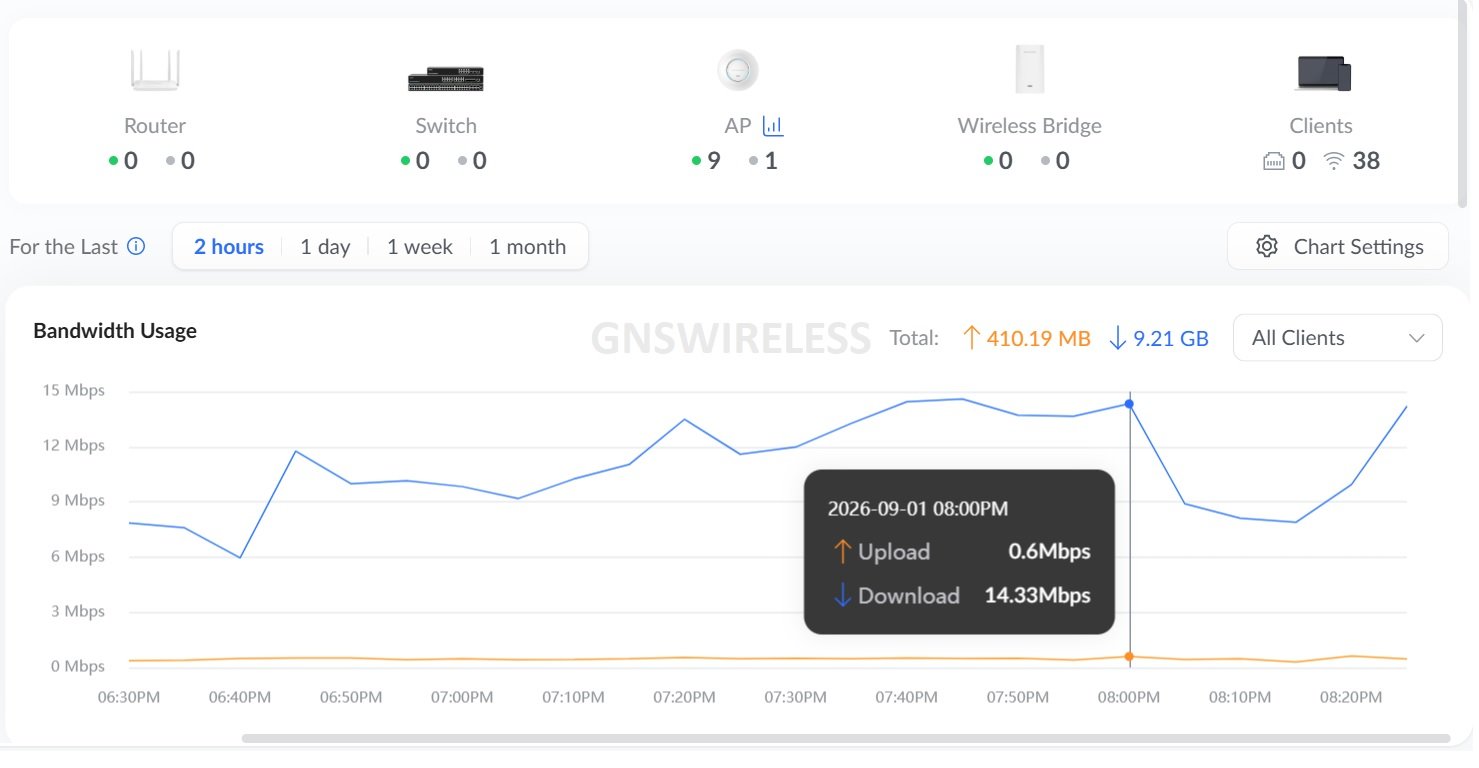
GNS can configure supported access points through the cloud platform selected for the park. The dashboard provides operational information such as access-point status, connected-device status, signal quality, utilization, alerts, outages, backhaul health, and configuration status.

Cloud-management dashboard showing outdoor access-point status and network health

That visibility helps GNS Support determine whether a problem is limited to one access point, one row, a wireless backhaul link, or the property’s internet connection. Many issues can be investigated remotely before someone has to visit every pole or equipment location.

The platform may be Grandstream cloud management, Cambium cnMaestro, EnGenius Cloud, or another approved system, depending on the equipment selected for the project.

GNS uses operational information to configure and support the network. Guest browsing activity is not recorded, nor available. Optional ongoing Wi-Fi management and technical support are available after installation.

Property-map review

Send the RV park layout

An aerial screenshot is enough to start. Mark:

  • where internet arrives today
  • long site rows and how they sit relative to hills or trees
  • pads where indoor RV signal is already a complaint
  • power and mounting locations you can actually use

GNS reviews distances, metal obstructions, mounting, occupancy, and how access points and backhaul should work together. You do not need a finished network drawing before you write.

Send the marked aerial to sales@gnswireless.com.

Planning Wi-Fi for campsites, cabins, and mixed-property loops is covered separately on Campground Wi-Fi coverage and capacity planning.

RV-park questions

Questions about Wi-Fi inside RVs

Why is Wi-Fi weaker inside an RV than outside at the same pad?

Metal siding, insulation, and the contents of the rig sit between the outdoor access point and the device. The guest device also has to transmit back out. Indoor coverage depends on the two-way path through those materials, so a strong signal near the office does not establish whether devices will work inside an RV at a distant site of more than 150ft. In general we like to space out the access points every 300-500ft. for parks that have minimal tree coverage. For parks with dense trees, we like to space the access points closer to every 250-300ft. to penetrate the trees.

Does Wi-Fi 7 go through RV walls better than Wi-Fi 6?

No. Generation does not change how metal and insulation affect a radio signal. Wi-Fi 7 can add efficiency and future headroom when clients and radio conditions support it. It is not a wall-penetration upgrade.

Can guests keep the same Wi-Fi name as they move through the park?

Where it is appropriate, GNS can configure a consistent property-wide network name. The guest device controls its own roaming decisions. Channel planning, access-point placement, and overlap help devices move between covered areas.

Does GNS watch what guests do on the Wi-Fi?

GNS uses operational information from the selected cloud platform to configure and support the network. Guest browsing activity is not recorded, nor available.

Does every GNS installation use the same equipment brand?

No. GNS selects the system for the property. Cloud management may use Grandstream, Cambium cnMaestro, EnGenius Cloud, or another approved platform depending on the equipment chosen for that park.

Do we need a new internet provider to improve Wi-Fi inside RVs?

Not as a starting point. GNS designs around fiber, cable, Starlink, or another service already at the park. GNS distributes that available connection and does not supply the internet service itself. The incoming service still has to be sufficient for full occupancy.

RV Park system review

Review the park as a complete outdoor system

If you have a map and want GNS to review placement, Wi-Fi 6 or Wi-Fi 7, backhaul, and bandwidth management for this RV park, continue here:

Questions for this park: (877) 209-5152. Maps can also go to sales@gnswireless.com.