Superior Outdoor Wi-Fi Complete Outdoor Wi-Fi Solutions

Wooden dock, small boats, and waterfront trailers beside calm water

Marina and yacht club Wi-Fi planning

Plan Reliable Wi-Fi From the Clubhouse to the Docks

This guide is for marina owners, managers, harbormasters, and yacht-club leadership who need to know how to plan Wi-Fi for a marina so guests and members can connect at the clubhouse, along the docks, and—where the radio path allows—inside boats at the slip.

Marina Wi-Fi coverage planning is not the same problem as covering a wooded campground loop or a row of RV pads. Water, open sight lines, dock orientation, pilings, roofs, clubhouse walls, metal boats, and occupied slips all change the radio path. A phone on an empty finger dock and a streaming device below deck are not the same two-way connection.

GNS designs the complete network—from the main internet connection and distribution equipment to outdoor access points, wireless backhaul, cloud configuration, bandwidth policies, and ongoing support.

The internet service itself may come from fiber, cable, Starlink, or another provider. GNS does not supply that connection. GNS designs the property network that distributes that available connection to clubhouses, docks, slips, and other waterfront areas.

GNS provides preconfiguration, wiring diagrams, cloud setup, and installation guidance, making it easier for your electrician or installer to complete the physical installation. Start with equipment selection when you are ready for a marina system review.


A different radio environment

Why docks and boats change the Wi-Fi plan

Water can look like a clear path and still be a difficult place to design Wi-Fi. Open water, wet decks, and moving boats reflect and scatter radio energy. Masts, canvas, radar arches, and neighboring hulls sit in the way once the season is underway. The clubhouse may have a strong signal while the last slip on a long pier does not.

A strong reading on an empty dock does not establish performance when slips are occupied by large boats. Occupied slips add metal, fiberglass, people, and devices into the same air. Access-point placement has to be based on dock layout, boat height, mounting, power, tides, and expected occupancy—not on a quiet off-season walk-through alone.

Devices below deck or inside metal cabins have a more difficult two-way radio path. The access point can transmit toward the boat; the phone, TV, or laptop still has to transmit back. A reliable design accounts for both sides of the connection. Access-point transmit power alone cannot compensate for a phone, television, or laptop that has difficulty transmitting back from inside the boat.

Clubhouse to docks

Plan coverage as a path, not a single hotspot

Wi-Fi from the clubhouse to the docks is a sequence of coverage zones. Each zone needs a usable signal for guest devices and a reliable way for that traffic to get home to the internet source.

  1. Clubhouse and office Where internet often arrives, staff work, and members first expect to connect.
  2. Upland buildings Restrooms, fuel office, pool, service yard, or other structures that need their own coverage or a backhaul hop.
  3. Main piers and walkways The route guests actually walk, and the mounting line where outdoor access points can see slips.
  4. Finger docks and slips Where boats sit, occupancy changes the path, and indoor-cabin devices are hardest to reach.

Fixed docks, floating docks, and changing water levels may require different mounting and antenna strategies. Mounting height, antenna selection, and equipment vary with the dock type, water level, available structures, power, and service access. Local power and a suitable mount still have to exist at remote access-point locations.

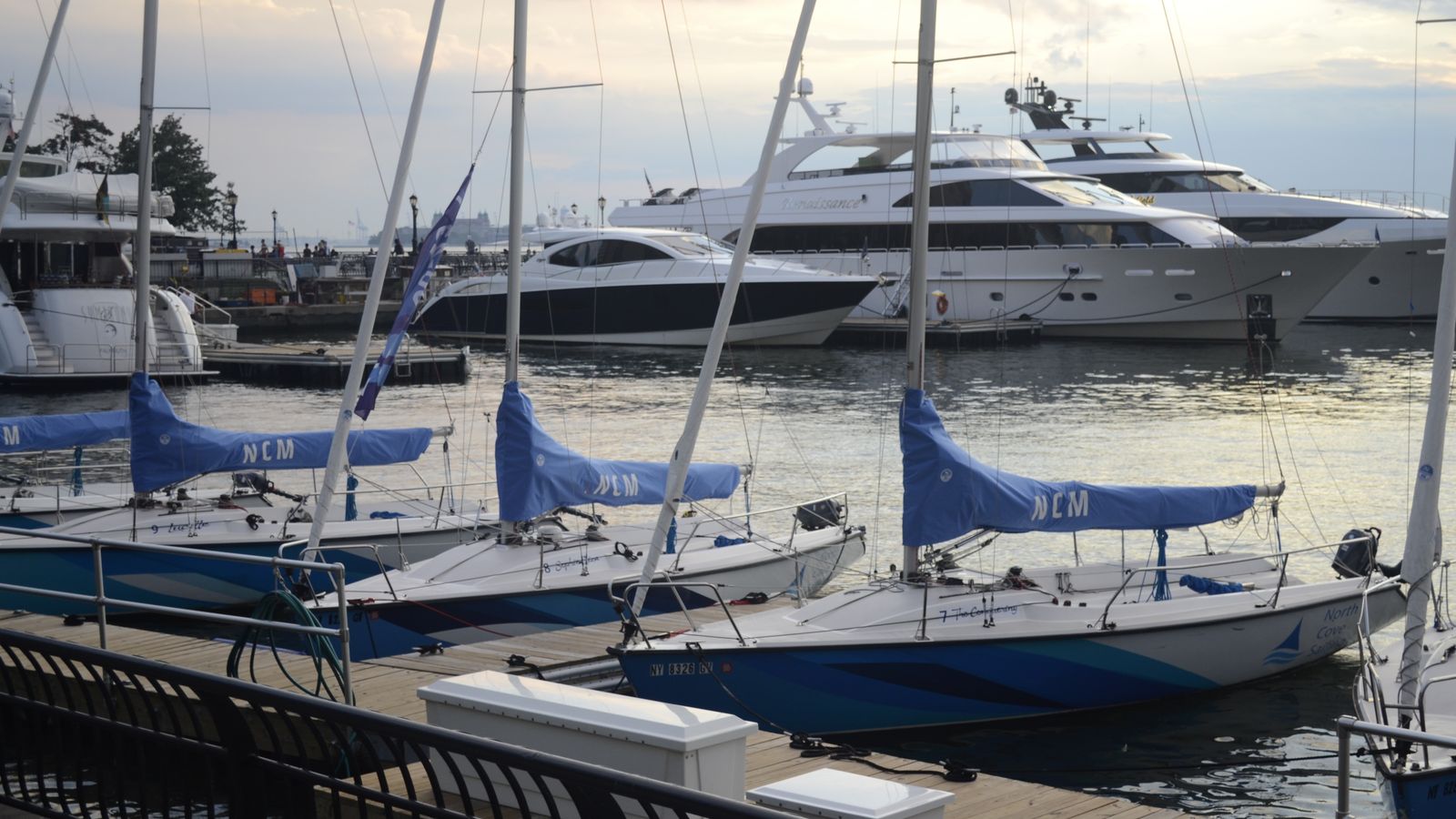
Sailboats and motorboats moored at docks in a marina.

Wi-Fi inside boats

Cover the slip, then the cabin

Outdoor coverage along the dock is the first requirement. Getting a usable connection inside a boat is a second, harder step. Hulls, metal cabins, tinted glass, appliances, and below-deck layouts all reduce the two-way path. Some vessels may still need their own onboard equipment to redistribute a marina signal inside the cabin. Onboard equipment can improve coverage within an individual vessel, while the marina network remains responsible for delivering a reliable signal throughout the docks and slips.

Marina wireless backhaul

Backhaul to long or separated docks

Backhaul is separate from client access. Guest phones and TVs join outdoor access points. Those access points still need a path back to the clubhouse or other distribution point. Point-to-point or point-to-multipoint wireless links may connect remote docks, buildings, service yards, or other coverage zones.

Some properties may use mesh where it is practical. Mesh can extend a nearby coverage area without a dedicated link at every piling. For longer piers, heavier occupancy, or docks that sit out of a clean mesh hop, GNS may recommend dedicated wireless backhaul. Many marinas combine both.

Local power and suitable mounting are generally required at remote access-point locations. Wireless backhaul can often avoid trenching a data cable down a pier. Some projects may still require fiber, local cabling, electrical work, or trenching.

Marina Wi-Fi for streaming

Guest streaming, seasonal occupancy, and bandwidth

Boats arrive with phones, tablets, laptops, streaming devices, and often a TV. Holiday weekends and summer occupancy concentrate those devices along the docks. Coverage answers whether a device can associate at the slip. Capacity answers whether the network still works when many of those connections are active at once.

Many common HD streaming services need about 10–15 Mbps per active device. Use that figure as planning context when you estimate busy-weekend or seasonal load. Actual streaming performance depends on the marina’s available internet service, simultaneous occupancy, access-point placement, signal conditions, backhaul capacity, channel utilization, bandwidth policies, and the guest device.

Marina bandwidth management keeps a few heavy users from consuming the incoming connection the rest of the property has to share. Extra radios cannot create internet capacity that is not there. GNS designs around fiber, cable, Starlink, or another available source and does not supply that internet service.

Marine exposure

Power, mounting, enclosures, and weather

GNS selects commercial outdoor-rated equipment, mounting hardware, cabling, and enclosures for the conditions expected at the property. Marine installations require careful attention to salt exposure, moisture, cable entry, grounding, surge protection, winter weather, and access for inspection or service.

  • Salt air and corrosion-conscious mounting hardware
  • Moisture, wind-driven rain, and UV exposure
  • Snow, ice, and freezing temperatures
  • Cable entry, weather sealing, drip loops, and outdoor-rated cabling
  • Grounding and surge protection
  • Weather-protected PoE injectors and power supplies
  • Accessible NEMA enclosures where appropriate
  • Mounting that accounts for pilings, roofs, tides, and service access
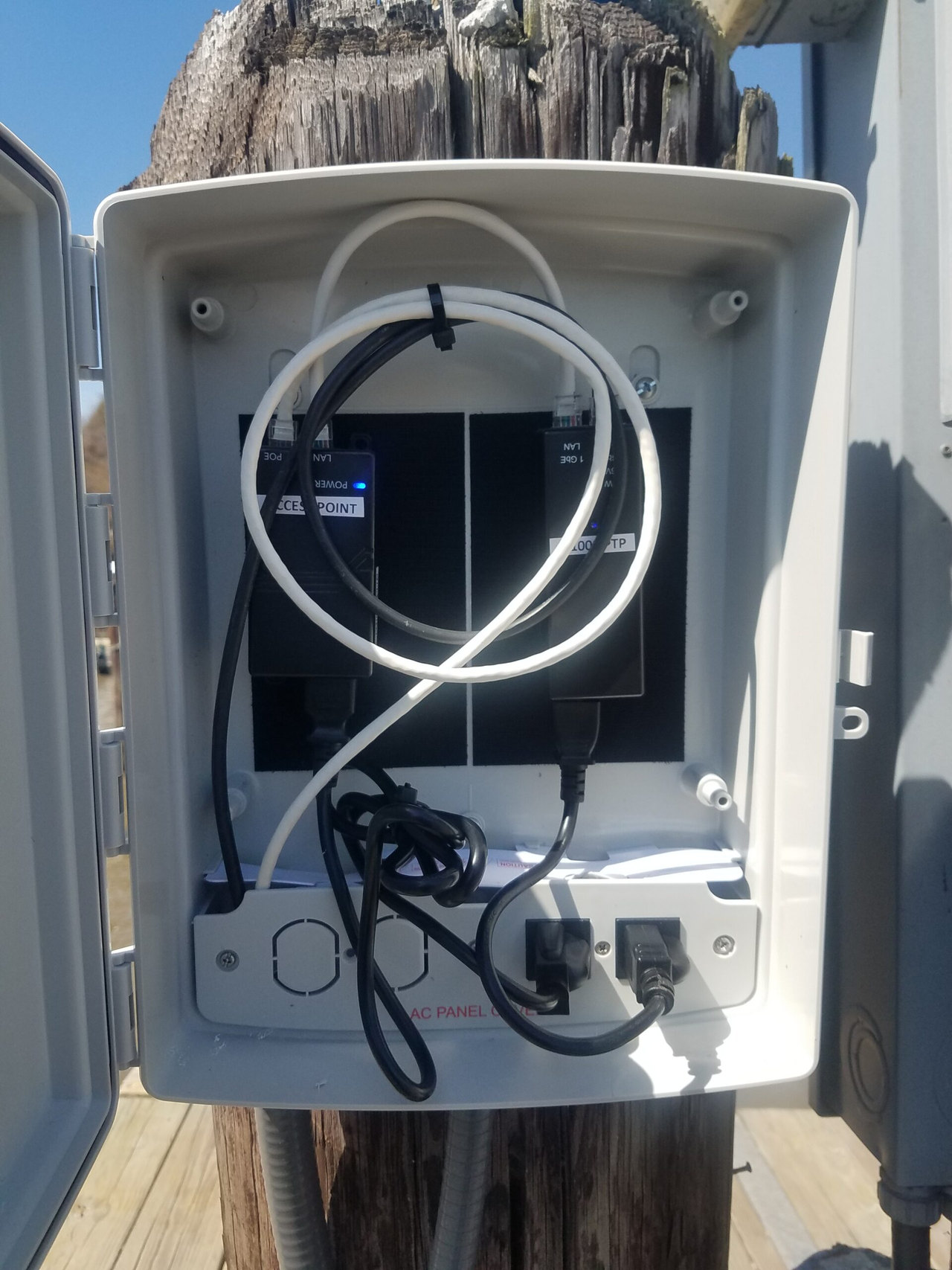
Open weatherproof enclosure on a wooden marina piling with PoE injectors and power connections
An accessible weatherproof enclosure protects PoE and power equipment at the dock.

A compact weatherproof enclosure mounted high on a marina piling can help keep the PoE injector, power supplies, and cable connections dry and above routine dock-level exposure. The enclosure should also remain accessible so GNS or marina personnel can inspect connections and troubleshoot power equipment without removing the access point.

Commercial outdoor access points for marinas are selected for the installation environment, not as a generic office router placed outside. IP and NEMA ratings describe specific types of enclosure protection, but long-term reliability at a marina also depends on equipment selection, mounting hardware, cable entry, sealing, grounding, surge protection, placement, and periodic inspection. Where salt-fog certification or another environmental rating matters, GNS verifies that requirement against the documentation for the equipment selected.

Outdoor access points are what guest devices join. How those radios are mounted, powered, sealed, and connected back to the clubhouse is part of the same marina plan.

Cloud-managed marina Wi-Fi

Cloud management and remote support

GNS can configure supported systems using Grandstream cloud management, Cambium cnMaestro, or another approved platform. Depending on the selected system, cloud management can provide the operational information GNS Support needs to troubleshoot the network, including access-point health, connected-device status, signal quality, utilization, backhaul performance, alerts, outages, and configuration status. GNS uses this information to configure and support the Wi-Fi system—not to inspect guests’ private communications or browsing activity. Guest browsing activity is not recorded, nor available. Optional ongoing technical support is available after the system is in service.

When a marina operates seasonally

Seasonal Shutdown and Spring Recommissioning

Some marinas and yacht clubs, especially in northern climates, operate seasonally. Where a property shuts down for winter, GNS can assist with a planned fall or winter shutdown and spring recommissioning. For seasonal facilities, the work depends on the climate, operating calendar, installed system, and service agreement.

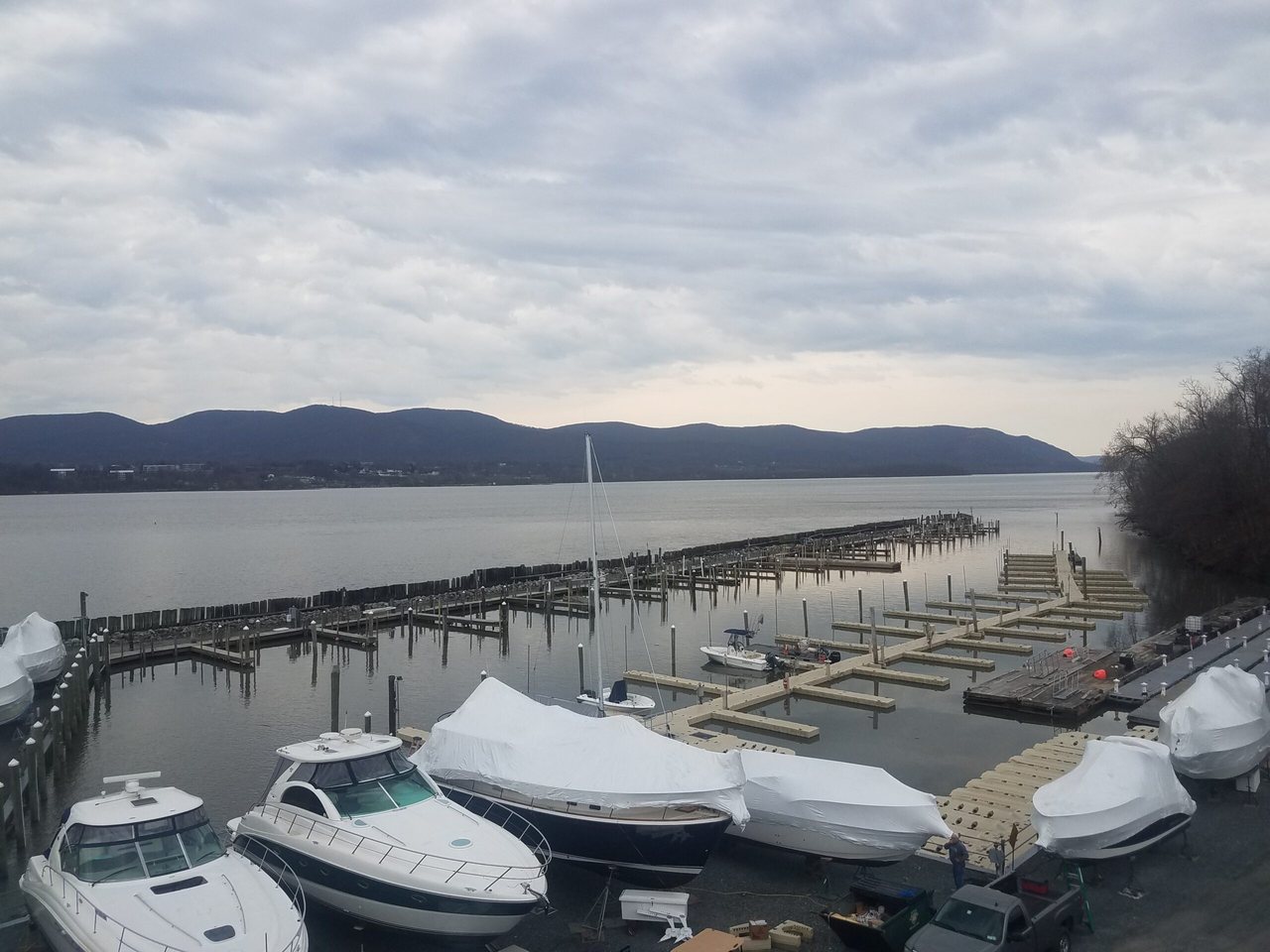
Shrink-wrapped boats in marina dry storage beside empty docks under an overcast sky
GNS assists seasonal marina customers with planned Wi-Fi shutdowns when needed.

Fall / winter shutdown

Before the property goes quiet

For seasonal marinas and yacht clubs in northern climates, GNS can help close down the Wi-Fi system when the customer determines that a winter shutdown is appropriate. The work may include reviewing cloud status, documenting the system condition, identifying equipment that needs service, and helping safely power down selected Wi-Fi and backhaul equipment.

  • Record the current system condition
  • Review cloud status
  • Back up or document configuration
  • Identify failed or damaged equipment
  • Safely power down equipment that should not remain energized
  • Secure exposed cables and connections
  • Inspect enclosures, mounts, seals, and cable entry
  • Document work needed before reopening
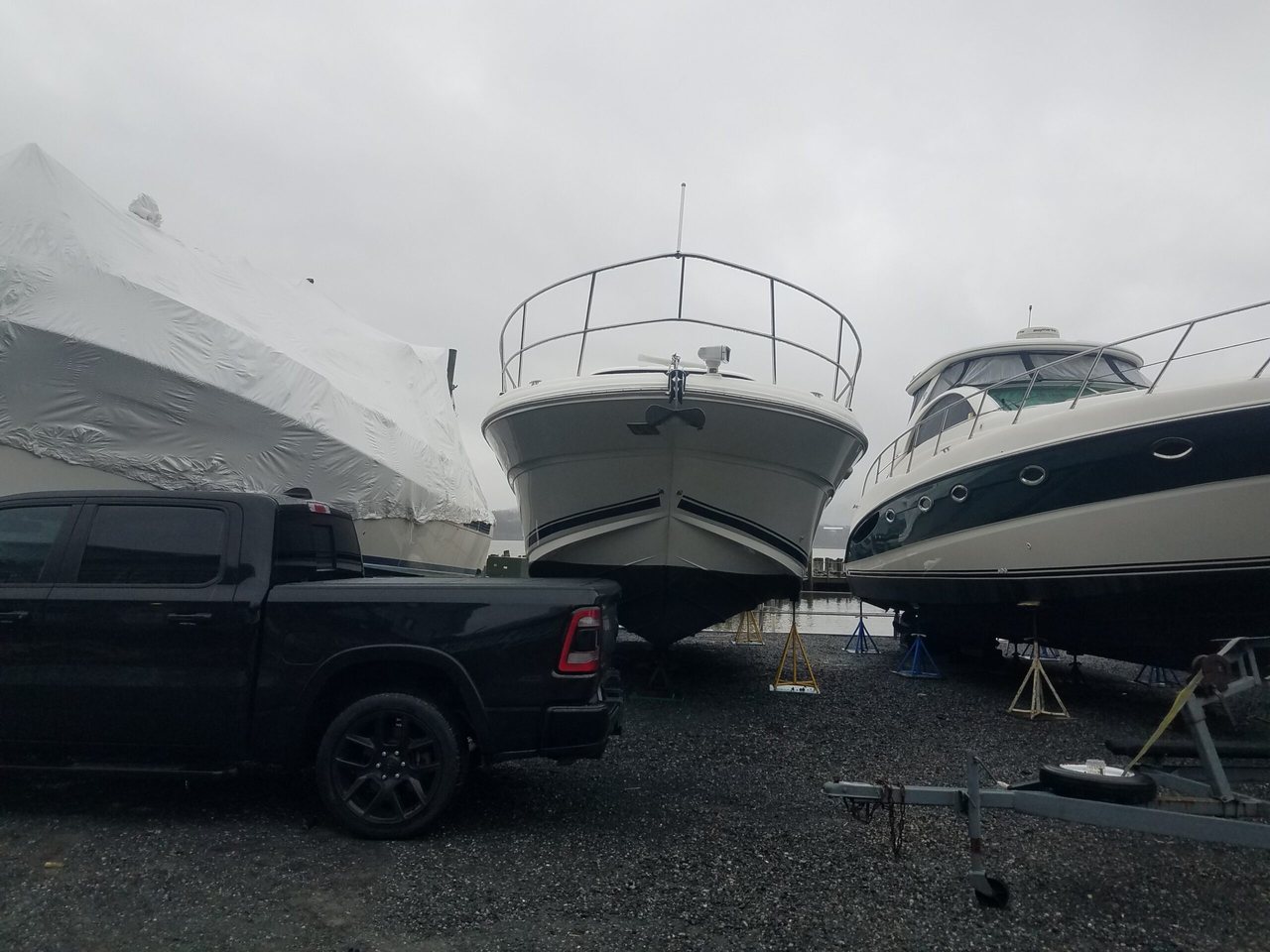
Boats on stands in a marina dry-storage yard, including one shrink-wrapped hull
Early-April recommissioning at a GNS marina site can begin while boats remain in dry storage.

Spring recommissioning

For properties preparing to reopen

In the Northeast, GNS commonly begins preparing marina and yacht-club Wi-Fi systems for the new season in early April. This work may begin while portions of the docks or surrounding water are still frozen. Early April is a common Northeast preparation period, not a guaranteed date for every marina.

Spring recommissioning may include inspecting mounts, enclosures, cables, and seals; restoring power where appropriate; confirming access points and wireless backhaul reconnect; reviewing cloud and firmware status; testing guest access and bandwidth policies; and checking representative clubhouse and dock locations before the busy season.

  • Inspect equipment after winter
  • Check mounts, hardware, cabling, seals, and enclosures
  • Restore power where appropriate
  • Confirm access points and wireless backhaul reconnect
  • Review firmware and cloud status
  • Test guest-network access
  • Confirm bandwidth policies
  • Test representative dock and clubhouse locations
  • Address winter damage before peak boating season

Not every marina shuts down for winter. Properly selected outdoor equipment may remain installed and energized, or it may be powered down, depending on the marina’s operating plan and the equipment requirements.

Where GNS installs and supports marina systems

Long Island and Northeast marina service

GNS also installs, configures, and supports marina and yacht-club Wi-Fi on Long Island and, for qualifying projects, in the Northeast.

The local service page covers the Bayport-based corridor, regional availability, on-site work, and seasonal service.

Marina guest Wi-Fi

Guest access can be more than a shared password

Some marinas want an open guest network. Others want registered guest-device access, a captive portal, or a more controlled way to offer complimentary or paid service. GNS Connect may support the marina’s selected guest-access approach. The exact features depend on the service configuration chosen for that property.

Review marina guest-access options on GNS Connect. That path is optional. The primary next step on this page remains a marina system review.

Coverage review

Start with the marina map

Send GNS an aerial image, dock map, or marked site plan. Label:

  • where internet arrives today
  • the clubhouse, fuel dock, restrooms, and other buildings that need coverage
  • main piers, finger docks, and slips with known complaints
  • where power or mounting already exists
  • whether docks are fixed, floating, or mixed

GNS reviews distances, dock orientation, occupancy, mounting, and how access points and backhaul should work together. Photos of typical slips help. You do not need a finished network design before contacting GNS.

Email the map to sales@gnswireless.com.

Marina questions

Questions marina and yacht-club operators ask

Why does Wi-Fi look fine on an empty dock and fail when boats are in?

Empty slips leave a clearer radio path. Occupied slips add hulls, masts, people, and devices. The plan has to account for expected occupancy, not only an off-season walk-through.

Will marina Wi-Fi reach below deck?

It depends on the vessel. Devices below deck or inside metal cabins have a harder two-way path. Bringing outdoor coverage closer to the slip helps. Some boats may still need onboard equipment to redistribute the marina signal inside the cabin.

Do floating docks need a different design than fixed docks?

They can. Changing water levels, piling hardware, and movement affect mounting and cable routing. GNS selects the approach from the actual dock type rather than a single mounting height for every marina.

Must every outdoor radio come down for winter?

No. Properly selected outdoor equipment may remain installed and energized, or it may be powered down, depending on the marina’s operating plan and the equipment requirements. Seasonal shutdown is a planned service, not a rule that every radio must be removed.

Does GNS watch what guests do on the Wi-Fi?

Cloud management provides operational information such as access-point health, connected-device status, signal quality, utilization, and backhaul performance. GNS uses this information to configure and support the Wi-Fi system—not to inspect guests’ private communications or browsing activity. Guest browsing activity is not recorded, nor available.

Can we use the internet service we already have?

Yes. GNS designs the outdoor network around fiber, cable, Starlink, or another service already at the property. GNS distributes that available connection and does not supply the internet service itself.

Next step

Continue with a marina system review

If you already have a map and want GNS to review the marina as a complete system, continue here:

Or call (877) 209-5152. You can also email the marina map to sales@gnswireless.com.